Allow our server IP in Cloudflare
Create a Cloudflare security rule that allows your Store Importer server IP and prevents migration requests from being blocked.
Last updated October 18, 2026
Also available in: Deutsch · Español · Français · Nederlands
If you use our migration apps and your store is protected by Cloudflare, you need to allow our server IP in Cloudflare. This prevents Cloudflare from blocking communication between your store and our app.
You can find the server IP address on the Connect page inside our app. Always use the value shown there; it can change.
If your Cloudflare configuration restricts traffic by country, allow both Germany and the Netherlands. Store Importer requests can leave from either country, so allowing only one is not enough.
Cloudflare is one possible cause of a blocked connection. In WooCommerce Importer, if the app names Hostinger CDN or shows a neutral firewall or country-restriction message, follow the broader guide to fix a connection block or zero page and post counts. This guide also applies if the connection succeeds but both WordPress page and post counts show 0 despite your site having content.
Create the Cloudflare rule
- Go to Security rules in your Cloudflare dashboard.
- Click Create rule and fill out the form:
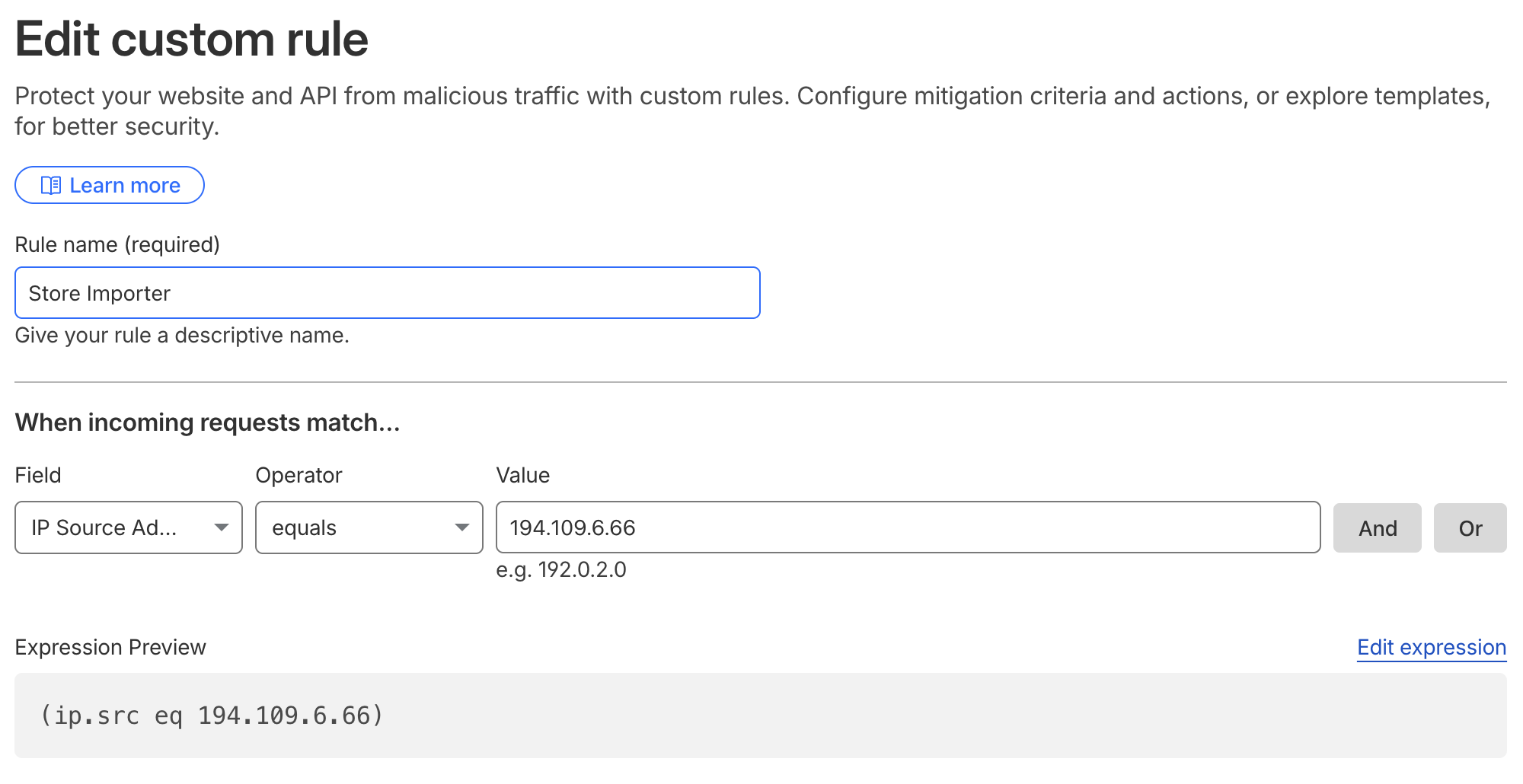
- Rule name: for example, Store Importer
- Field: IP Source Address
- Operator: equals
- Value: the server IP from the Connect page
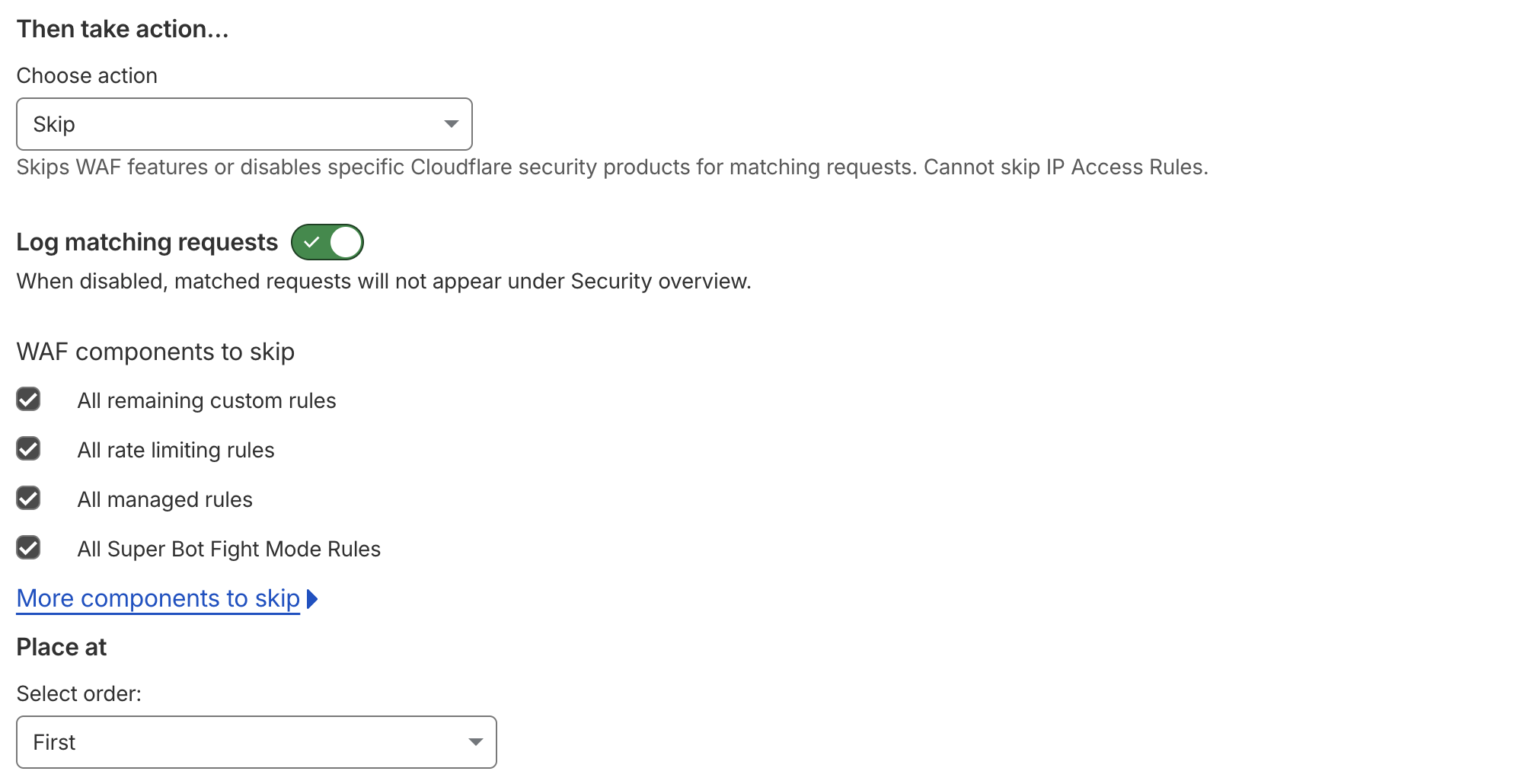
- Choose action: Skip
- Under WAF components to skip, check all options
- Select order: First
- Click Save.
It can take a minute or two for the rule to take effect.