How to create WooCommerce API keys (step-by-step)
Create read-only WooCommerce REST API keys so WooCommerce Importer can securely connect your store to Shopify.
Last updated October 18, 2026
Also available in: Deutsch · Español · Français · Nederlands
To connect your WooCommerce store to Shopify, you need to create API keys. These allow the WooCommerce Importer app to securely access your store data.
If this feels technical, you can contact us and we’ll help you set this up.
Watch how to create WooCommerce REST API keys
Follow the video to create your consumer key and consumer secret. Choose Read permission for WooCommerce Importer. You can also follow the written steps below.
Watch the API-key tutorial on YouTube (1 minute 11 seconds, in English).
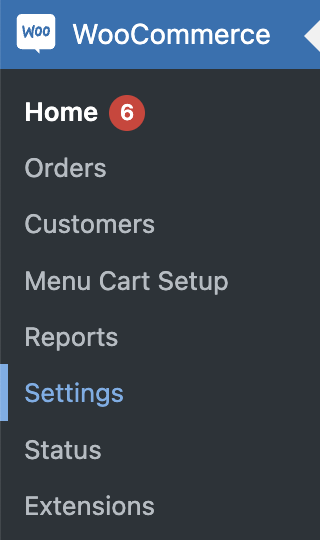
Step 1 Open WooCommerce settings
Go to WooCommerce → Settings in your WordPress dashboard.
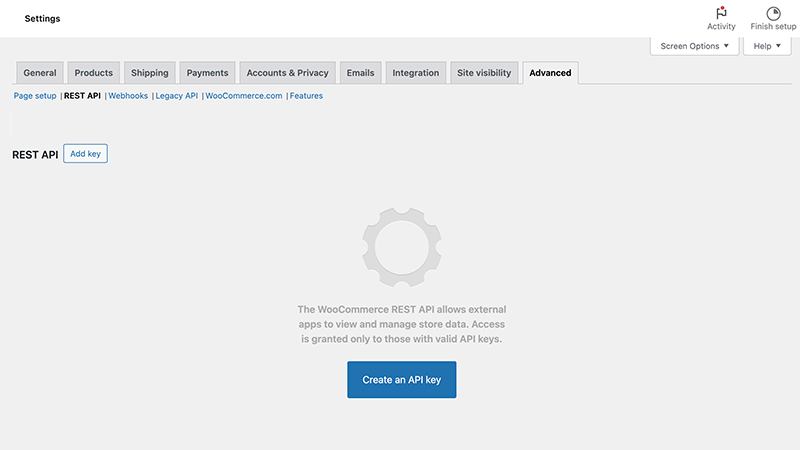
Step 2 Go to API settings
Click:
- Advanced
- REST API
- Create an API key
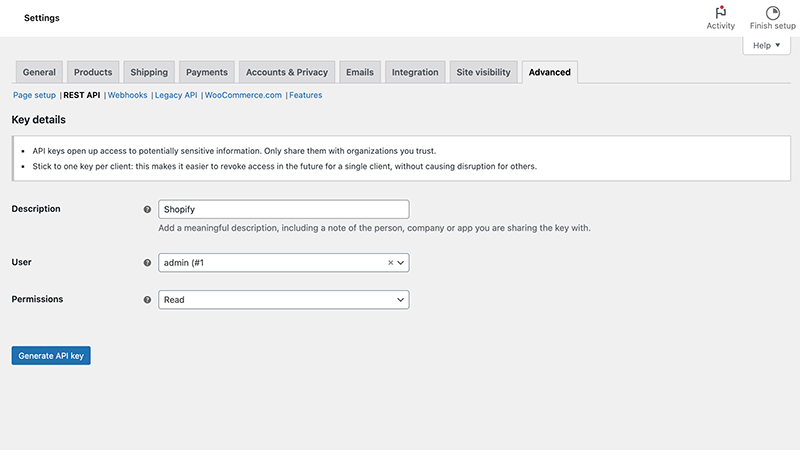
Step 3 Create the key
Fill in:
- Description: Shopify
- Permissions: Read
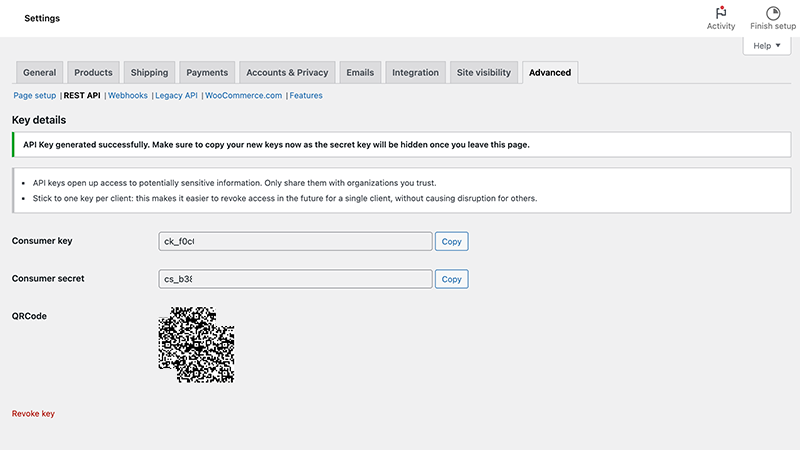
Step 4 Copy your keys
Copy:
- Consumer key
- Consumer secret
Make sure to copy your keys immediately. You won’t be able to see the secret again after leaving the page.
Troubleshoot a blocked connection test
After you enter your store URL and API keys, WooCommerce Importer tests the connection. If the red failure banner includes a second message about a firewall or country restriction, follow the steps to fix a connection block or zero page and post counts. This guide also applies if the connection succeeds but both WordPress page and post counts show 0 despite your site having content.